Important: On Whop, use the same email you paid with to create your account.
Already paid? Do not pay again, even if you see the product and payment page.
After you join
Four steps to get in
Takes about two minutes.
- 1
Go to Whop and click Home
After you pay, you land on Whop. Sign in with the same email you paid with, then click Home.
- 2
Click Join
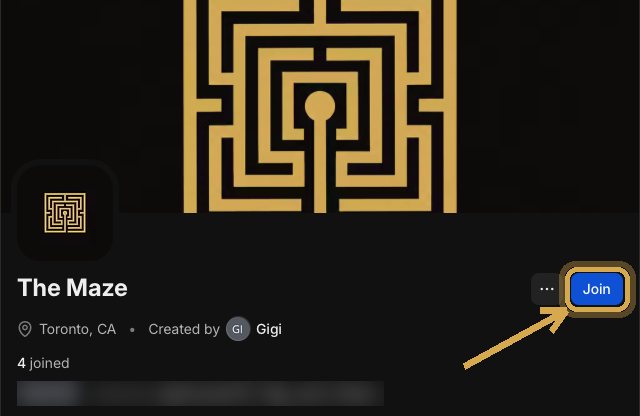
On The Maze page, click Join.
- 3
Open Discord
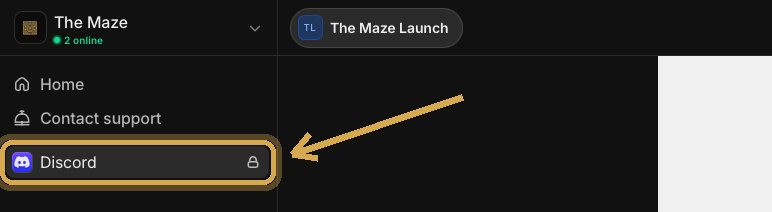
In the left menu, click Discord.
- 4
Claim access
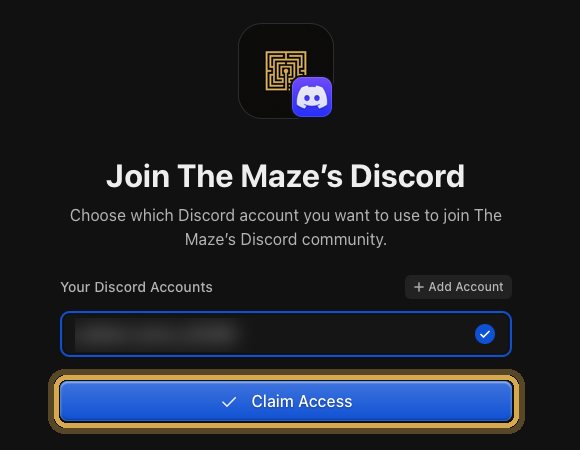
Choose your Discord account and click Claim Access. You are in.
Still confused? See the detailed walkthroughTwo pathways with screenshots, depending on whether Discord is signed in.
Pathway A: Discord is signed in
You are already signed in to Discord in this browser or on this device.
- 1
Sign in to Whop
Sign in with the same email you paid with.
- 2
Open the Store and click Discord
On The Maze page, open Home, then the Store. In the left menu, click Discord.
- 3
Connect your Discord
Click Connect Discord. When Discord asks, click Authorize.
- 4
Click Claim Access
Choose your Discord account and click Claim Access.
Pathway B: Discord is not signed in
You were not signed in to Discord when you paid, or you are not sure.
- 1
Open The Maze on Whop and click Join
On The Maze page, click the blue Join button, to the right of The Maze name.
- 2
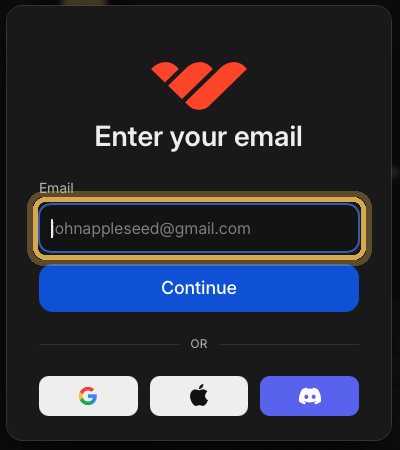
Sign in with the email you paid with
Enter the same email you paid with and click Continue. Follow Whop’s prompts to finish signing in.
- 3
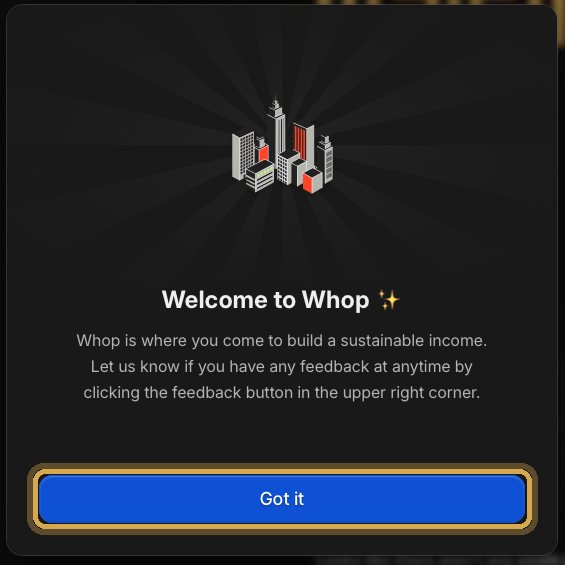
Close the welcome message
If Whop shows Welcome to Whop, click Got it.
- 4
Click Discord, then Claim Access
In the left menu, click Discord. Choose your Discord account. If it is not listed, click Add Account and sign in to Discord. Then click Claim Access.
Still stuck? Email themazesupport@gmail.com.